
Light Mode

Ready-Made Scans for Beginners, With Room to Grow
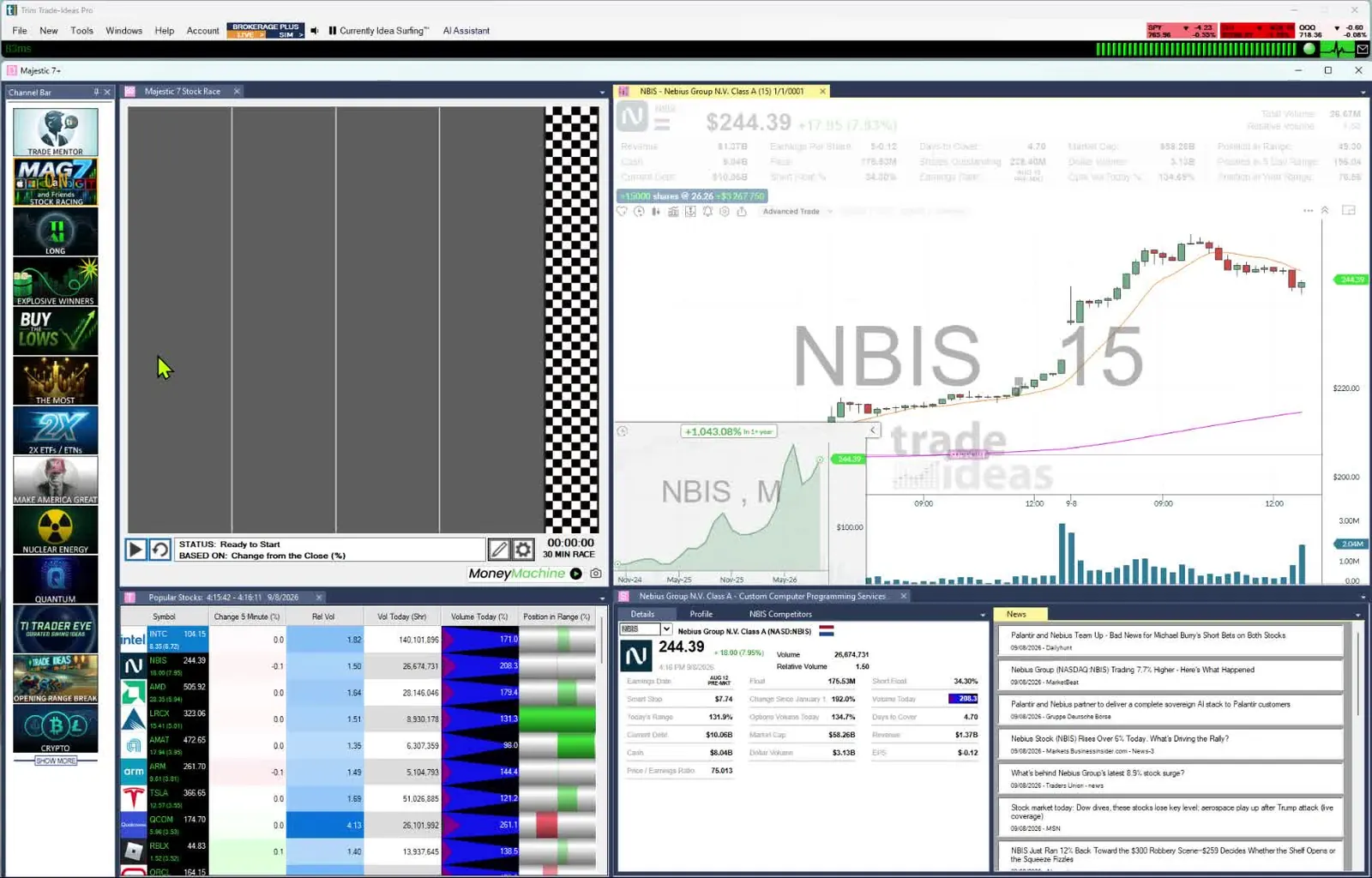
Both give a beginner ready-made scans on day one. Day Trade Dash is the scanner, chart and news package Ross Cameron uses at Warrior Trading. It comes with 24 preset scanners tuned for momentum, TradingView-powered charts and a curated news feed. Trade Ideas is ready to go too, with 308 alerts and 249 filters, OddsMaker backtesting and Holly AI Signals. The Channel Bar is included in every plan. Like Netflix, its channels are already set up around themes such as big momentum movers or S&P 500 stocks moving up fast. The free Trading Room, led by Barrie Einarson, helps you learn live. As you grow, OddsMaker backtesting, Money Machine automation and Holly AI Signals are ready.
Weighing more than two tools? See the best Warrior Trading alternatives, including live rooms to learn in.
Free account, just an email. No card. Live access for a limited time.

Named to the Inc. 5000 list of America’s fastest-growing private companies six years in a row (2017–2022).

Investopedia: Best Short Term Stock Screener, 2024
Warrior Trading describes Day Trade Dash as "the same tools that expert trader Ross Cameron uses each and every day," designed by Ross and built by his team. It has three parts:
Warrior's pitch is simplicity: it "works, right out of the box," with predefined layouts and indicators and simple customizations, and its scanners are meant to "filter out the action that isn't important." Warrior's support center says Ross pairs it with Lightspeed for order entry. All real-time market data is included in the subscription.
| Feature | Day Trade Dash (from Warrior Trading) | Trade Ideas |
|---|---|---|
| Approach | Preset scanners and layouts designed by Ross Cameron, ready out of the box. | Ready-made themed channels on the Channel Bar in every plan, plus the tools to build, test and automate your own scans. |
| Scanners | 24 scanners: watch list scanners and alert scanners tuned for momentum. | Channel Bar channels, Streaming Alerts (Scanner) and the Top List (Screener), with 308 alerts and 249 filters, plus the Formula Editor. |
| Charts | TradingView-powered charts, including 10-second charts. | Built-in charts (10 on screen on TI Standard); External Linking can send symbols to your own TradingView chart. |
| News | Curated news feed; also powers the Warrior Trading News Room. | Focused on price and volume events rather than a news feed. |
| Backtesting | Not listed on the Day Trade Dash page. | OddsMaker (TI Premium). |
| AI trade signals | Not listed. | Holly AI Signals (TI Premium). |
| AI Assistant (plain-English scan builder) | Check their site. | Included in every TI Pro plan |
| Placing trades | Not listed; Ross uses Lightspeed for brokerage. | Brokerage Plus, chart trading and Money Machine through connected brokers. |
| Practice | Web-based simulator with Level 2, sold as a $247/mo bundle ($197 for members) or alone for $97/mo. | Simulated trading included on both plans; Money Machine (TI Premium) has a Simulated Mode. |
| Community | Chat room and live stream sold separately to members. | Free Trade Ideas Trading Room, led by Barrie Einarson, with a whole community of traders. |
| List price (monthly / annual) | Day Trade Dash pricing is listed on Warrior Trading / Day Trade Dash pages (see costs section). | TI Standard $127/mo or $1,068/yr; TI Premium $254/mo or $2,136/yr. Only TI Premium has Money Machine, OddsMaker and Holly AI Signals. |
Competitor prices and features checked October 12, 2026.
Day Trade Dash details checked on warriortrading.com on Oct 6, 2026. "Not listed" means the feature does not appear on Warrior's Day Trade Dash page.
Day Trade Dash is the software side of Warrior Trading. It puts preset scanners, TradingView-powered charts and a news feed in your web browser. It costs $197 a month, or $147 for Warrior Starter and Pro members. Real-time market data is included. In Trade Ideas, that work is divided between two tools.
More detail on the software: Trade Ideas vs Day Trade Dash.
Trade Ideas is a good fit for a beginning trader who wants the premium experience. There is no need to configure anything. You see the speed and power of the market as it moves. Momentum shows up on screen as it builds.
The same software grows with you. When you are ready, you can build your own scans, test them in OddsMaker, automate them with Money Machine and add Holly AI Signals. New to trading? Start with our guide for beginners.
A preset scanner is a set of rules someone else chose for you. That is a good thing when you are learning a specific strategy. The catch is that you can't easily see or change why a stock made the list, or check whether those rules still work in this month's market. With Trade Ideas you can start on the Channel Bar and go further whenever you like. Trade Ideas gives you the parts so you can build the same kinds of scans and then adjust them. These are the closest Trade Ideas pieces to the scanner types Warrior lists, not copies of Warrior's rules:
When none of the 308 alerts and 249 filters says exactly what you mean, the Formula Editor lets you script your own filter, or you can describe the scan in plain English to the AI Assistant.
Each of those building blocks is documented in our help: 308 alerts and 249 filters. Any alert can be combined with any filters, each with a min and max, and 191 alerts have a setting of their own, such as the minimum dollar move on Running Up Now or the volume ratio on a 1-minute volume spike. The open has its own set: opening range breakouts and breakdowns at 1, 2, 5, 10, 15, 30 and 60 minutes, such as the 2-minute breakout, and the bullish opening power bar. Multiply 308 alerts by the 30,876 ways to pick two filters and you get 9,571,560 pairings, so the scans you can build are effectively unlimited.
The Day Trade Dash page doesn't list a way to test a scanner against past data. That matters when you are copying a style: Ross's results come from Ross's judgment, and a scanner alone doesn't tell you how its alerts played out without him. OddsMaker replays your alert and filters across all stocks over past trading days, with your own entry, stop and exit rules, and reports the trades, win rate and profit factor. If your small-cap momentum scan only works in the first 30 minutes, OddsMaker shows you that before your account does.
Past results, including backtests, don't guarantee future results.
Holly AI Signals fire during the trading day with a symbol, an entry and a stop to manage risk. Holly is designed to look for stocks with large long-term potential. Many signals won't work out. You choose whether to exit the same day or hold, based on your risk.
Holly isn't limited to one style. It picks its strategies by running OddsMaker-style tests every night, so it isn't tied to a single small-cap momentum playbook. See Holly AI Signals.
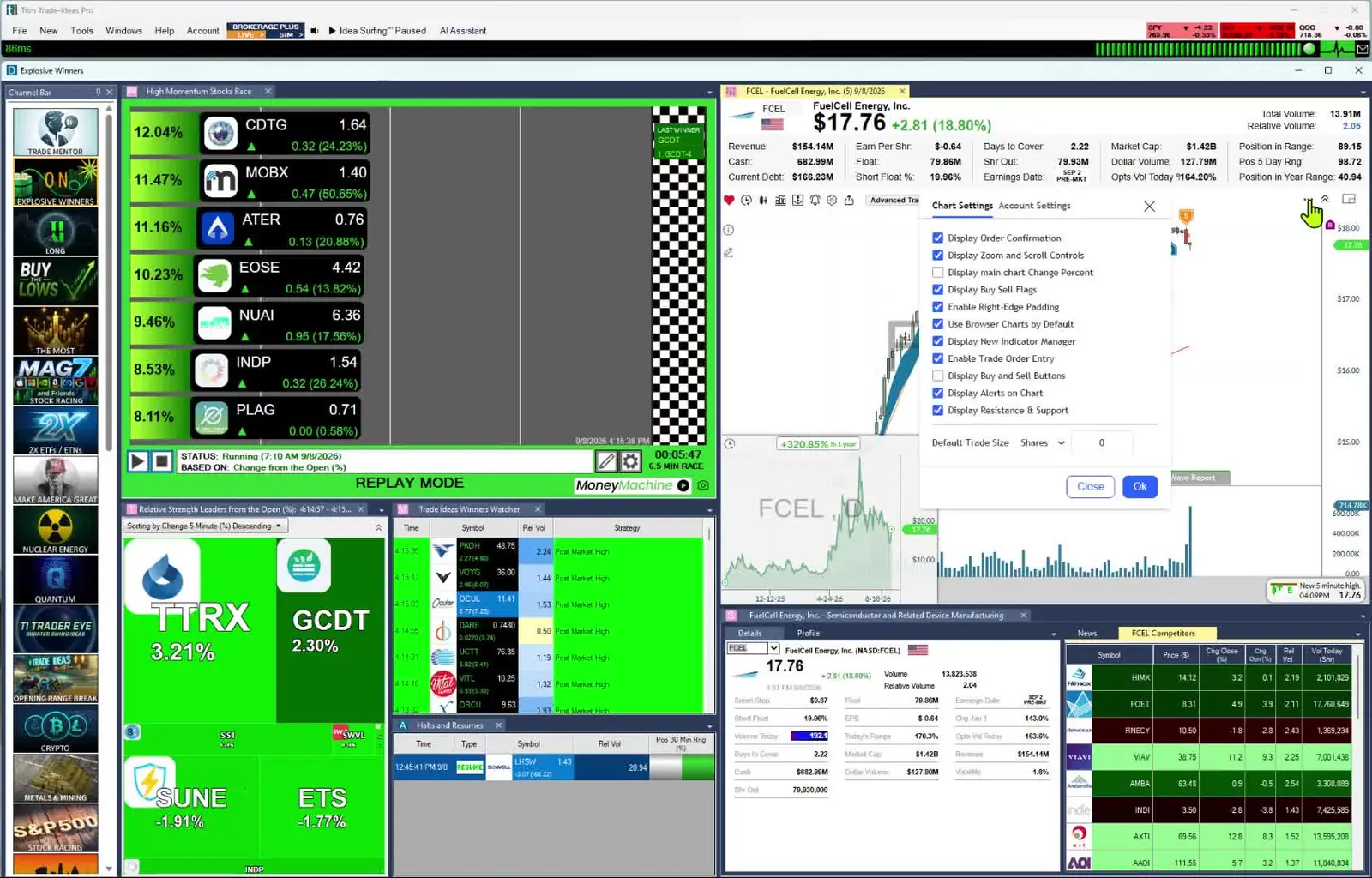
When you want rules to run without you, Money Machine trades from your own Top Lists (Screeners) and Streaming Alerts, sets a stop and target for each stock from its volatility, and sends orders through Brokerage Plus to a connected broker. Its Simulated Mode lets you watch it trade before real money is involved.
Day Trade Dash includes real-time market data, and momentum trading doesn't work without it. Streaming Alerts use Trade Ideas' own live market data. They can fire on every trade, sometimes more than once a second. If you are okay with static non-refreshing data, Trade Ideas is probably not your best choice.
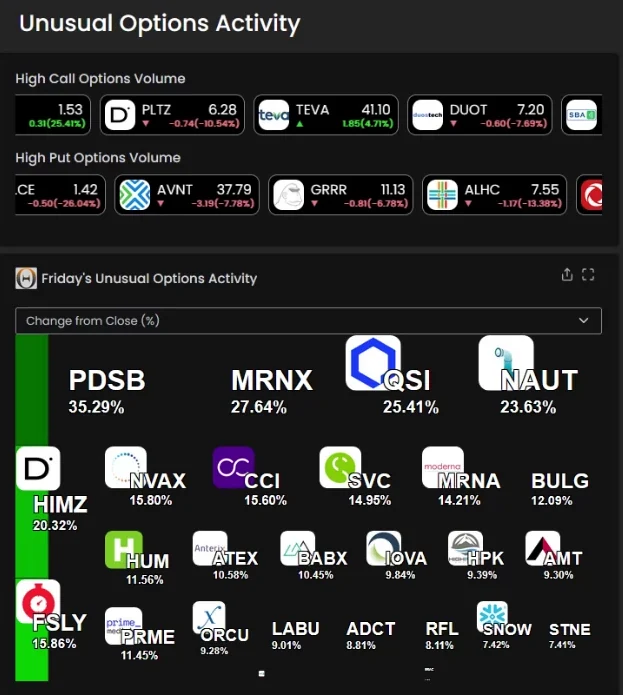
Trade Ideas also monitors unusual options activity across all stocks, through a dedicated channel that runs in TI Pro and in the Web Dashboard. Day Trade Dash's page doesn't list options activity.
Trade Ideas was built from day one to find what is moving right now; Warrior Trading was built around trading education and a community. Traders who want live discovery often lean Trade Ideas and keep Warrior Trading for its strengths.
Picking Warrior Trading or Trade Ideas is your call, so here are the facts on our end.
Warrior Trading pairs training with its Day Trade Dash scanners. Trade Ideas also gives beginners ready-made scans in the Channel Bar, on every plan, plus a free daily Trading Room. You can rebuild Ross-style scanner types from Trade Ideas building blocks and check a setup in OddsMaker on TI Premium before you trade it. Holly AI Signals, also on Premium, bring you finished trade ideas. Data comes from every US exchange, plus off-exchange trades and the NBBO. The AI Assistant is in both plans, and a free account is just an email.
Warrior Trading knows Trade Ideas well. Its own Trade Ideas review, last updated in March 2025, rates it 4.8 out of 5 and says, "When it comes to AI scanners, there is nothing else that compares." So the honest comparison isn't Warrior against Trade Ideas. You can start on either without building a scan first. Trade Ideas adds themed channels, a free Trading Room, OddsMaker and Holly AI Signals.
Day Trade Dash: $197/mo for non-members, or $147/mo for Warrior Starter or Pro members. With the web simulator, $247/mo for non-members and $197/mo for members. The simulator alone is $97/mo. Real-time data is included. The chat room and live stream are not; Live Stream and Chat is a members-only add-on listed at $147/mo. Subscriptions renew monthly until cancelled.
Trade Ideas: TI Standard: $127 each month, or $1,068 a year (around $89/mo). TI Premium doubles that: $254 each month or $2,136 a year (around $178/mo). Auto Trading (Money Machine), OddsMaker backtesting and Holly AI Signals are TI Premium only. Simulated trading, customizable scans and screeners, and 308 alerts and 249 filters come with every plan; inside TI Pro you also get the Channel Bar and the AI Assistant.

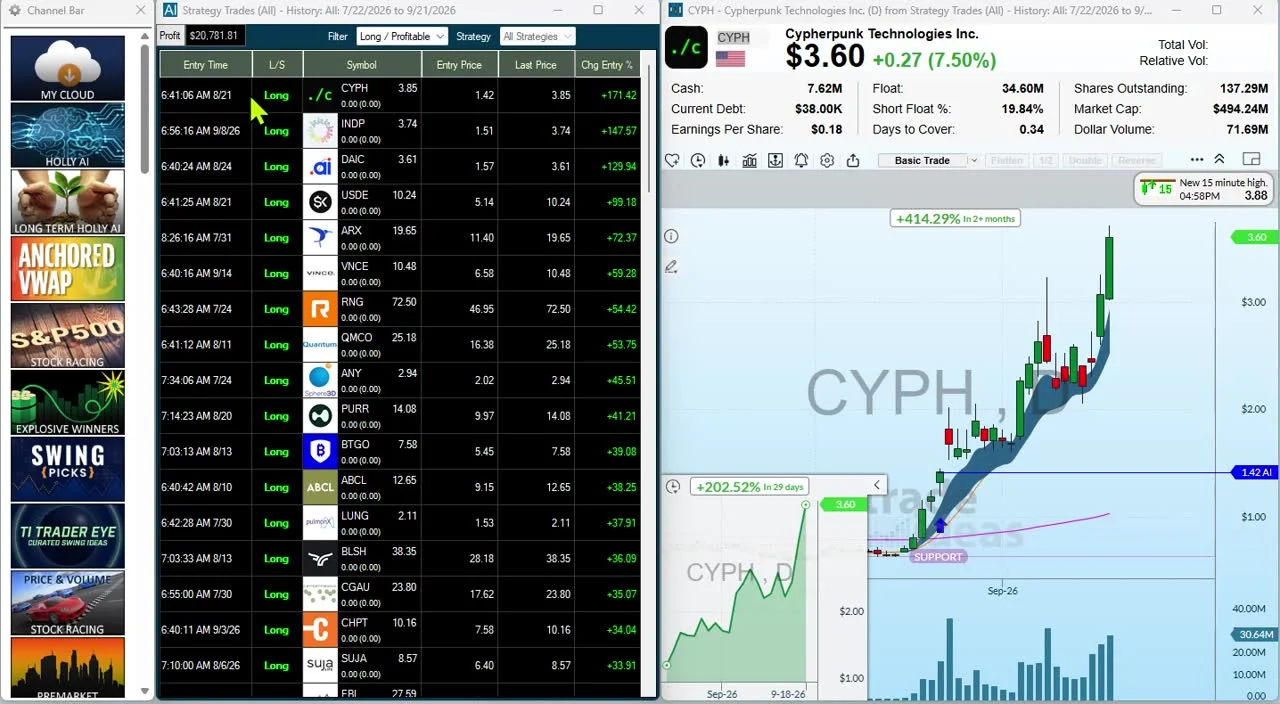
Warrior Trading's support center lists Ross Cameron's tools as Day Trade Dash charts, Day Trade Dash scanners, Lightspeed for brokerage, and news through the Warrior Trading News Room, which Day Trade Dash provides.
No. Warrior Trading is the education company, with courses, memberships and a chat room. Day Trade Dash is its software subscription for scanners, charts and news, and it is sold to members and non-members.
Yes. You get the Channel Bar and the AI Assistant in TI Pro on any Trade Ideas plan. Themes such as big momentum movers or S&P 500 stocks moving up fast each get a ready-made channel, so nothing needs configuring. Inside the free Trade Ideas Trading Room you will find Barrie Einarson and a whole community of traders. Before you risk money, you can rehearse in paper trading, and OddsMaker lets you test a setup against past trading days. See our guide for beginners.
Warrior describes Day Trade Dash as working out of the box, with predefined layouts and indicators and simple customizations, built around 24 preset scanners. Trade Ideas gives you both. The Channel Bar has ready-made, themed channels in every plan. You can also combine 308 alerts and 249 filters, script custom filters in the Formula Editor, and test the result in OddsMaker.
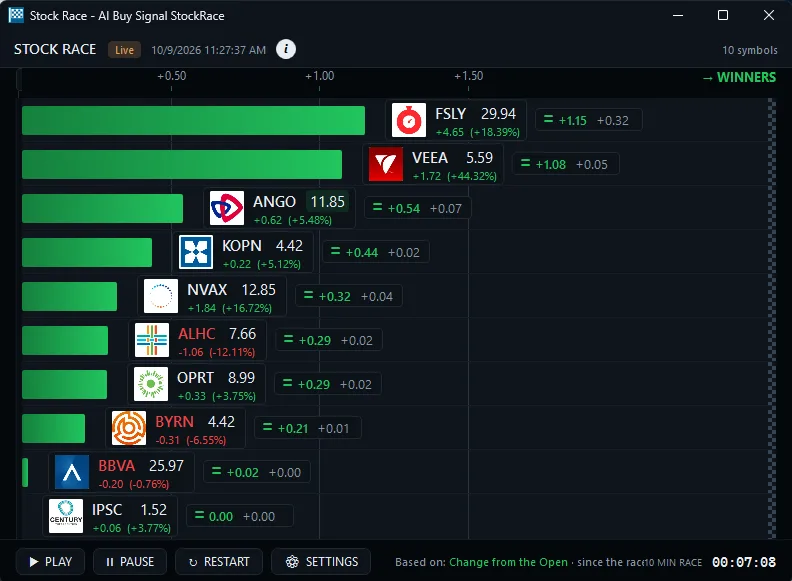
Day Trade Dash has 24 preset scanners, split into alert scanners and watch list scanners. Trade Ideas Streaming Alerts can fire on every trade, more than once per second when a stock is active. Top Lists rank every stock that meets your filters. Top Lists update every 15 seconds. You can start with the ready-made Channel Bar channels. You can also change any scan and test it in OddsMaker.
No. Warrior's checkout page says access to the chat room and live stream is not included with a Day Trade Dash subscription. Live Stream and Chat is a members-only add-on, listed at $147 a month.
On Oct 6, 2026 Day Trade Dash was $197 a month for non-members and $147 a month for Warrior Starter or Pro members, or $247 and $197 with the simulator. The simulator alone was $97 a month. Trade Ideas listed TI Standard at $127 per month or $1,068 per year; TI Premium, the plan with Holly AI Signals, OddsMaker and Money Machine, was $254 per month or $2,136 per year.
Prices checked October 2026. Sources: warriortrading.com/day-trade-dash; Warrior support: software and tools used live (updated Jul 21, 2026); Warrior Trading's Trade Ideas review; the Day Trade Dash checkout page on secure.warriortrading.com (not linked; it is a checkout form).
On our side, the plan details come from trade-ideas.com/pricing (same date).
Free account, just an email. No card. Live access for a limited time. Ready to buy? See plans & pricing