







 NHP
▲ Bullish
NHP
▲ Bullish
Streaming Alert (Scanner)
New High Alert (NHP)
By Daniel Mirkin, CEO, Trade Ideas. Updated October 2026.
Find stocks making new highs today, including new 52-week highs, in real time, with Trade Ideas Streaming Alerts (Scanner). A new high is a print above every other price a stock has traded in the period you choose: today, above yesterday's high, this week, or the past 52 weeks.
See the breakout when it prints, not after.
Free account, just an email. No card. Live access for a limited time.
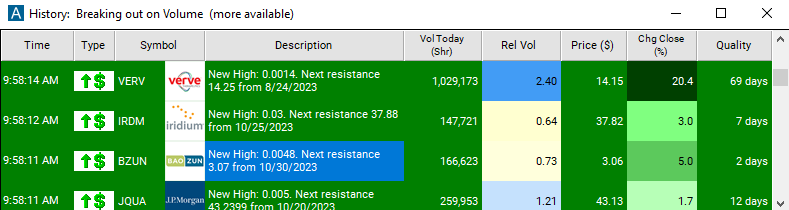
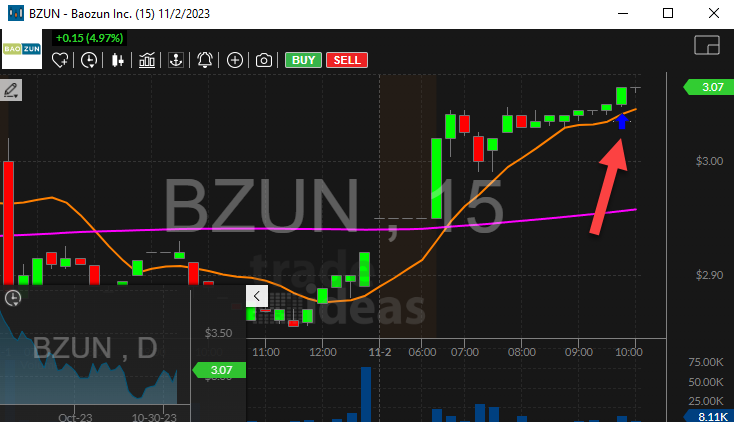
Streaming Alerts send each New High alert on the print that sets it, not on the next refresh.
How Trade Ideas finds it: by default the New High alert (NHP) fires on any print above the rest of the day's prices during regular market hours. In the alert's minimum-days box, 1 means above yesterday's high, 7 means a new high for the week, and 365 means only 52-week highs (any value 0 to 366; default 0). For premarket or after-hours highs, use Pre-market Highs (HPRE) and Post-market Highs (HPOST). See Trade Ideas plans and pricing to run it live.
What is a new high?
A new high is a trade at a higher price than anything the stock has traded at so far in a period. By default the New High alert uses today: the first print above the day's high so far sends the alert.
Settings
You can stretch the period. Set the minimum days to 1 and the print has to beat yesterday's high too. Set it to 7 for a new weekly high, or 365 for a 52-week high. Any number from 0 to 366 works.
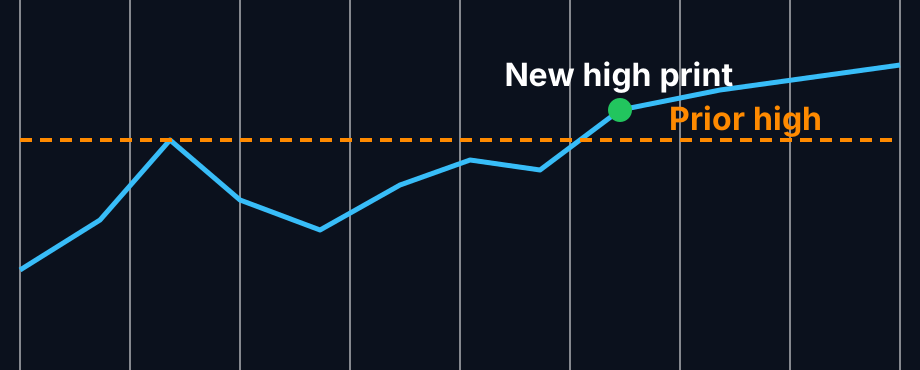
Parts of a new high
The prior high
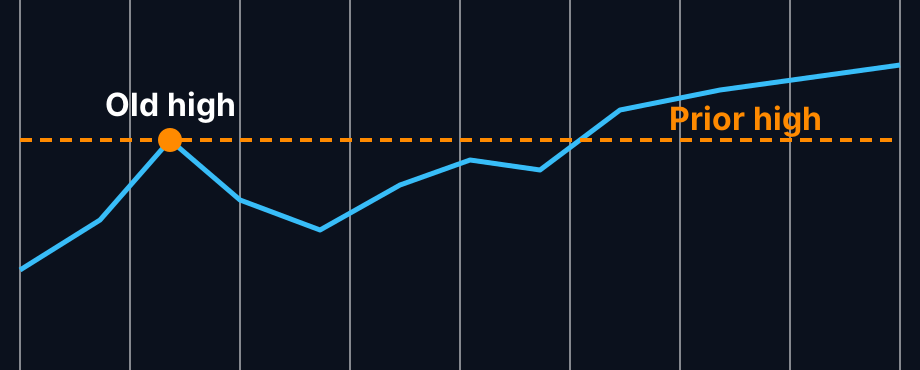
The highest price the stock has traded at in the period you picked. For a 52-week high it is the top of the last year.
The print
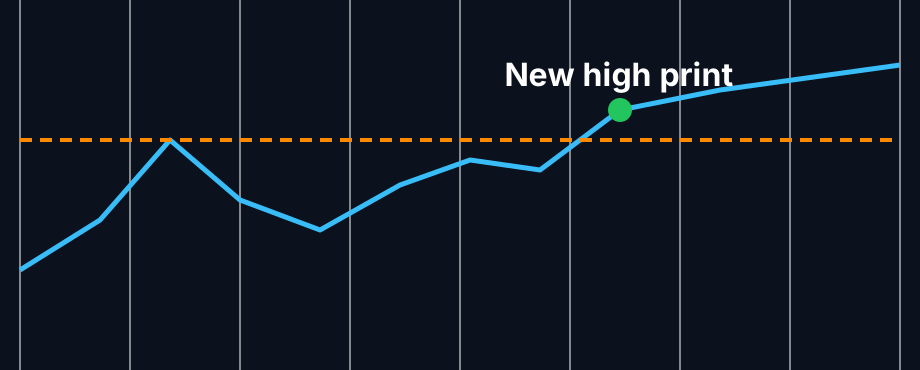
One trade goes above that line. Trade Ideas sends the alert on that print, during regular market hours.
The volume
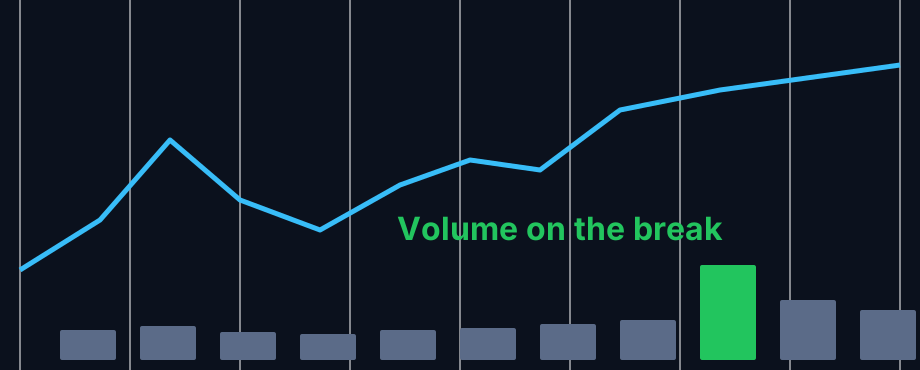
Volume is not part of the alert, but many traders check it. A new high on heavy volume reads very differently from one on a few shares.
How traders use it
Step 1: Let the Trade Ideas alert find it
Settings
Turn on the New High alert (NHP) and pick the minimum days: 0 for any new high today, 365 for 52-week highs. Add a Position in Range filter or a volume filter to keep the list to stocks you would trade. See it live in the Web Dashboard.
Step 2: Wait for the trigger
Many traders do not act on the first new high of the day. They watch for the stock to hold above the old high for a few minutes, or for a second push.
Step 3: Entry
Common entries are the break of the old high or a pullback that holds it as support.
Step 4: Exit
Key point
A stop just under the old high, or under the low of the pullback, is a widely used choice. That describes common practice and is not advice.
Tips
- New highs are reset once a day at a time set by the exchange.
- The alert only runs during regular hours. Before the open use Pre-market Highs (HPRE), and after the close use Post-market Highs (HPOST).
- A busy stock can print many new highs in a row. The filtered New High alert (NHPF) sends fewer.
- For 52-week context, pair it with the Position in Range (1 year) filter.
Past results, including backtests, are not indicative of future results.
How the New High alert works
New Highs refer to the highest prices that a stock has reached in a particular period. When a stock reaches a new high, it means that a stock has reached the highest level it has ever been during that period.
Trader tip
This alert is related to the Position in Range filter. Use this filter to make other alert types sensitive to new highs.
Default settings
By default, this alert will appear any time there is a print for a higher price than the rest of the day. Highs are reset once a day at a time determined by the exchange.
This alert only works during regular market hours. To find stocks making new highs in the premarket and/or afterhours, use our Premarket High alert and Postmarket High alert instead.
Custom settings
Trader tip
For 'New High' alerts, you have the option to use an alert specific filter. This filter is located immediately to the right of the corresponding alert and is always optional. You can decide to leave it blank if you want to receive more 'New High' alerts, or you can fill it in to restrict the number of alerts you receive.
This filter allows you to specify the quality of the alert. When you set a higher number for this filter, you are telling the alerts server to display only alerts that meet a higher quality standard, resulting in fewer alerts being shown.
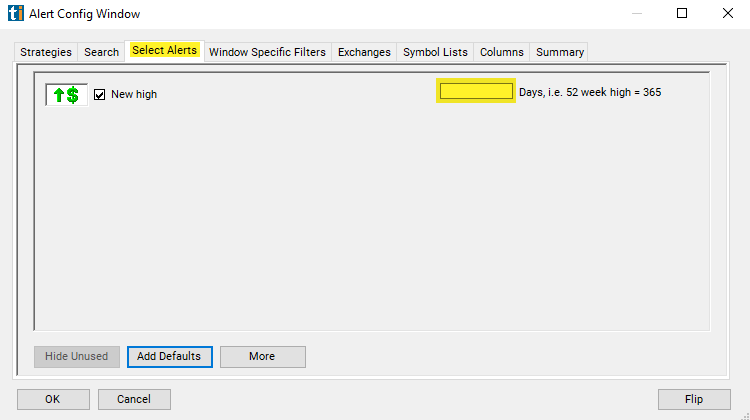
When setting an alert for 'New Highs,' you can specify a minimum number of days. Here's what different values mean:
- 0: Any new high triggers an alert.
- 1: A high must be higher than yesterday's high to trigger an alert.
- 7: Only new highs for the week will be shown.
- 365: Only 52-week highs will be shown.
You can use any number between 0 and 366. The default value is 0.
What the alert shows you
Key point
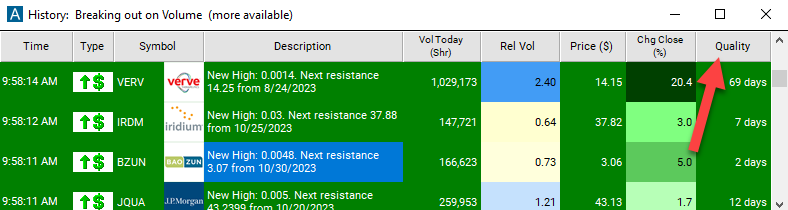
The description column of your scan will provide more details about the new high. When the alert server detects a new high, it looks for the most recent day before today when the price was higher than it is now. It reports the day when this happened, and the high for the day as the resistance in the description column. Note: This is a very simple version of resistance based only on daily highs. Several other alerts implement more advanced algorithms for finding support and resistance.
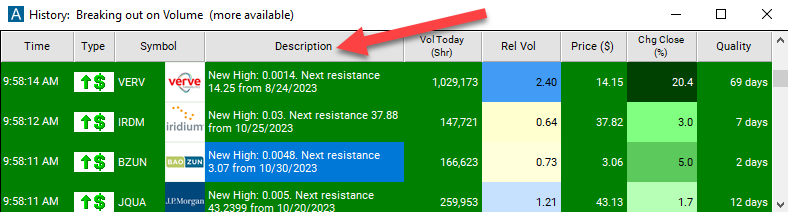
Add the quality column to a scan using the New High Alert to see the exact lookback period of the alert.
Related alerts
Filters to pair with the New High alert
Categories
FAQ
Which stocks are hitting 52-week highs right now?
Turn on the New High alert (NHP) in Trade Ideas Streaming Alerts. By default, this alert will appear any time there is a print for a higher price than the rest of the day. Set the lookback to 365 days to see true 52-week highs; the default looks at the current trading day.
What is the New High alert?
A new high is a print above every other price a stock has traded in the period you choose: today, above yesterday's high, this week, or the past 52 weeks.
How do I see fewer, higher-quality New High alerts?
Use the optional alert-specific filter immediately to the right of the alert. A higher number tells the alerts server to show only higher-quality alerts, so fewer appear. Leave it blank to see more.
What is the opposite of the New High alert?
The New Low alert (NLP).
What is the difference between a new high and a 52-week high?
A new high, by default, is the highest price of the day so far. A 52-week high is the highest price in the last year. Set the minimum days to 365 to get only 52-week highs.
Does the New High alert work premarket?
No. It works during regular market hours. Use the Pre-market Highs alert (HPRE) before the open and Post-market Highs (HPOST) after the close.
How do I see only new highs for the week?
Set the minimum days to 7.
Why do I get so many New High alerts for one stock?
Every print above the day's high is a new high. The filtered version, NHPF, sends fewer alerts.
Is a new high a buy signal?
Not on its own. Many traders treat it as a stock to watch and wait for it to hold.
Which filter goes best with the New High alert?
Position in Range (RD) is the closest match. It shows where the price sits in today's range.