
Light Mode

The short answer: The best premarket scanner shows you the gappers worth watching before 9:30, not a list of every stock that moved overnight. Trade Ideas is our pick.
Free account, just an email. No card. Live access for a limited time.

Named to the Inc. 5000 list of America’s fastest-growing private companies six years in a row (2017–2022).
Investopedia: Best Short Term Stock Screener, 2024
Streaming Alerts can fire on every trade, multiple times per second — including premarket highs and lows as they print. Top Lists (Screeners) rank gaps by percent and by premarket volume. Holly adds AI ideas on top of your own rules. If your mornings start with the headline, Benzinga Pro is the better fit.
Written by Daniel Mirkin, CEO of Trade Ideas, which makes one of the tools compared here.
A good scanner shrinks the list. You still choose the trade.
The premarket shows where attention is building. It also throws off a lot of noise.
Overnight gaps, earnings, thin movers and sudden volume spikes compete for your eye before the bell. A good premarket scanner cuts that list down to a few names you can watch closely.
The right tool depends on how you trade. Some traders need exact rules. Others care most about breaking news. Some want AI to surface ideas they did not define.
Before the open, one question matters: which few stocks deserve your attention? We asked all 8 tools the same 8 questions, and each answer fills a column of the table.
Facts were checked on each company's pages on October 6, 2026, with sources in How we checked. The full ten-point checklist comes after the reviews.
| Tool | What it is | Real-time data | Scans and alerts | Backtesting | AI | Beginner-friendly | List price | Best for |
|---|---|---|---|---|---|---|---|---|
| Trade Ideas | Scanner (Streaming Alerts (Scanner)) and screener (Top Lists (Screeners)) | Yes. Premarket highs, lows and gaps as they print | Gap, Volume Today, float, premarket range; ready-made channels | OddsMaker, no code (TI Premium) | Holly AI Signals (TI Premium); AI Assistant (every TI Pro plan) | Yes. Ready-made channels; free Trading Room | TI Standard $127/mo or $1,068/yr; TI Premium $254/mo or $2,136/yr | Finding stocks as they move; beginners who want the premium experience |
| Benzinga Pro | News service with audio squawk and a real-time scanner | Real-time quotes (Nasdaq Basic) from Basic; Real-Time Scanner on Essential | Scanner covers 3,000+ stocks (Essential); newsfeed filters | Not listed | Benzinga AI (Essential) | Yes. News shows why a stock moves; 14-day intro period | Basic $37, Streamlined $147, Essential $197 a month | News and catalyst traders |
| Scanz | Real-time scanner with news and SEC filing scans | Yes, all plans, including premarket and after hours | 400+ filters; 1 scan at a time on Starter, unlimited on Pro | Not listed | Not listed | Fair. You set up your own scans; 7-day free period | Starter $89/mo, Pro $199/mo, Ultra $999/mo | Traders who already know their exact conditions |
| Finviz Elite | Web stock screener with heat maps | Elite: premarket from 4:00 a.m. ET. Free: delayed | Advanced filters; alerts; auto-refresh 10 sec on Elite, 3 min free | Not listed | Not listed | Yes. Simple layout and a free version | Free; Elite $39.50/mo or $299.50/yr | Evening prep and quick fundamental screens |
| TradingView | Charting site with multi-market screeners | Extended hours listed; screener auto-refresh 10 sec or 1 min on paid plans | 500+ fundamental and technical fields; Pine Screener; alerts | Strategy backtesting; Bar Replay | AI screener requests (paid plans) | Yes. Free Basic plan | Basic $0; Essential $12.95, Plus $29.95, Premium $59.95 a month billed annually | Chart-first traders |
| TC2000 | Chart-first charting and scanning software | Pre/post market mode with Morning Pre-Buzz; real-time scanning on Premium | Scans from indicators, formulas and chart data; 5 streaming scans at a time | Not listed | Not listed | Fair. Paper trading included | Basic $24.99, Premium $49.99, Premium+ $99.99 a month | Chart-centered and swing traders on a budget |
| Day Trade Dash | Warrior Trading's scanner, chart and news software | Real-time data included; premarket hours not listed | 24 preset scanners, including Halt; no scan builder listed | Not listed | Not listed | Yes. Presets work out of the box | $197/mo, or $147/mo for Warrior members; with simulator $247 ($197) | Warrior Trading students |
| thinkorswim | Schwab's trading software with the Stock Hacker scanner | 24/5 trading on 1,300+ stocks and ETFs; scan refresh not listed | Stock Hacker custom scans; thinkScript | thinkScript strategy testing | Not listed | Fair. No charge and no minimum for Schwab clients | No charge for Schwab clients | Schwab clients and options traders |
Competitor prices and features checked October 12, 2026.
"Not listed" tells you we could not find it on the company's own site.
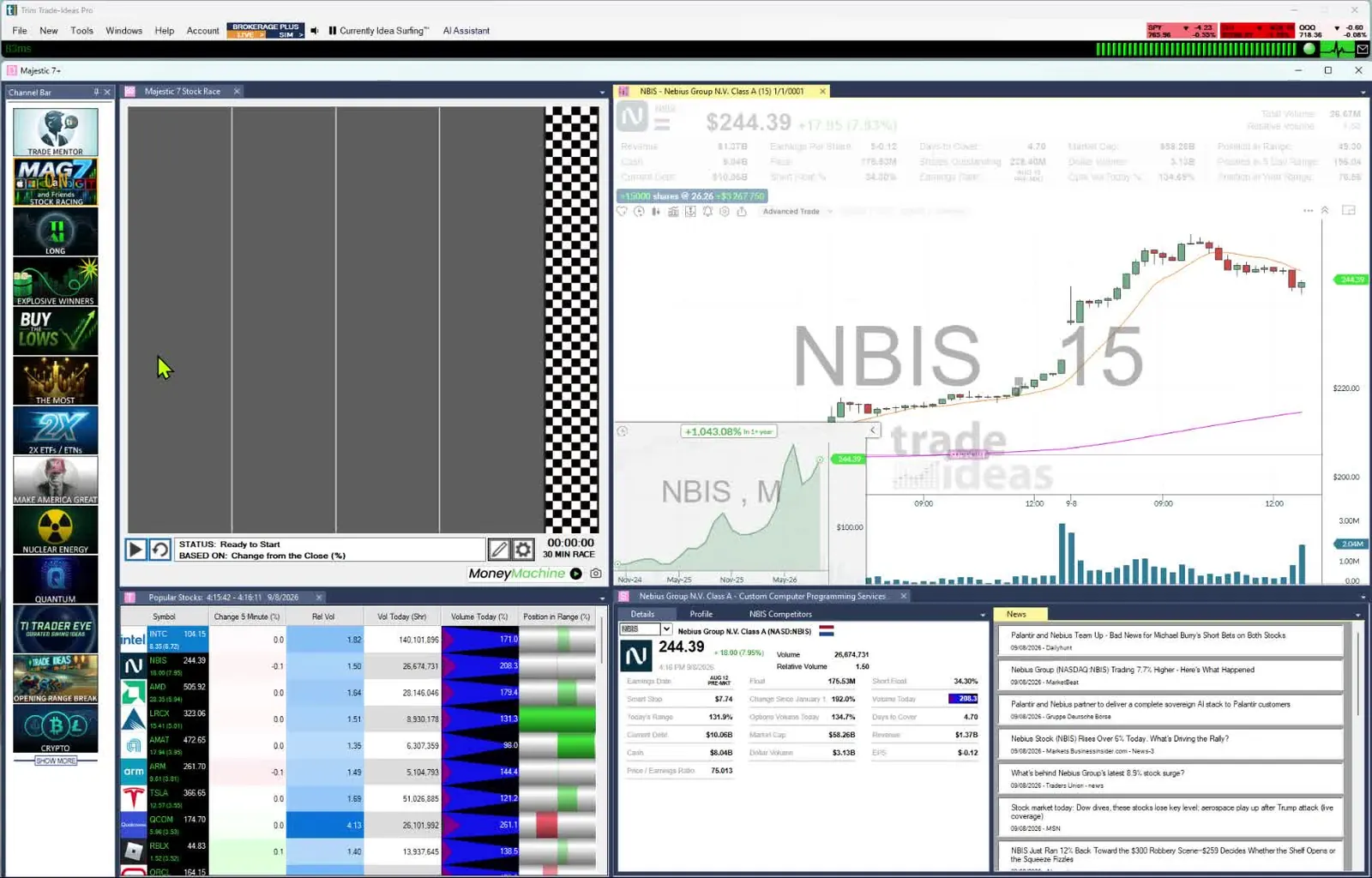
Trade Ideas gives you two ways into the premarket. Your own rules catch the gappers you planned for. Holly, the Trade Ideas AI, surfaces the ones you did not think to look for.
From the gap to the open. Once the bell rings, the gap plan turns into opening range alerts: breakouts and breakdowns measured over the first 1, 2, 5, 10, 15, 30 or 60 minutes, such as the 1-minute breakout and the 5-minute breakdown, and the bullish opening power bar fires above a strong first 5-minute candle. They come from 308 alerts and 249 filters documented in our help. Any alert can be paired with filters such as gap, premarket volume and float, each with a min and max, and 191 alerts add their own setting, like the minimum number of days on Pre-market Highs. That makes the possible morning scans effectively unlimited.
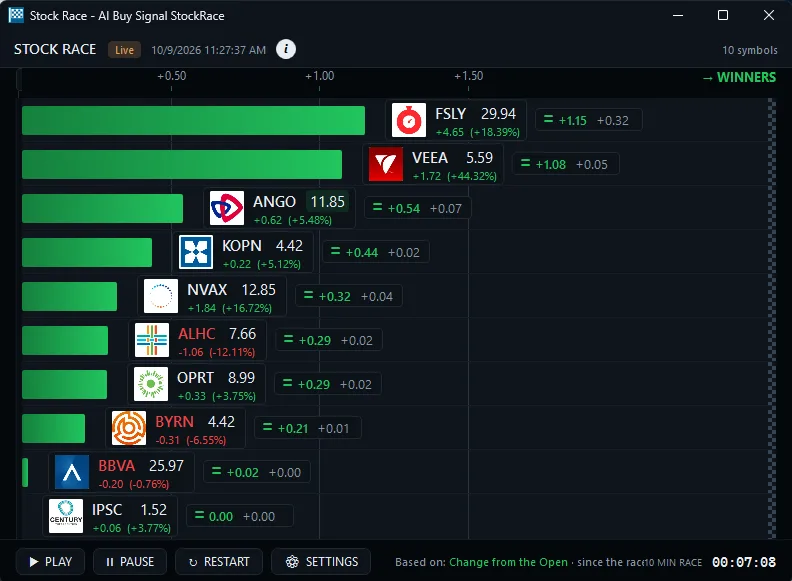
See the gap form. Streaming Alerts can fire on every trade before the bell. That can be multiple times per second. A premarket high or premarket low alert fires when that print happens. You watch the level being set, not the recap.
Rank what is real. Sort gappers with the Gap (%) filter, then check Volume Today, which counts shares from the premarket on. Add float and position in premarket range. That separates a real move from a thin one.
Start from a channel. The Channel Bar comes with TI Pro on every plan. Open a ready-made channel, or type your morning rules into AI Assistant, also in every TI Pro plan, and it builds the scan.
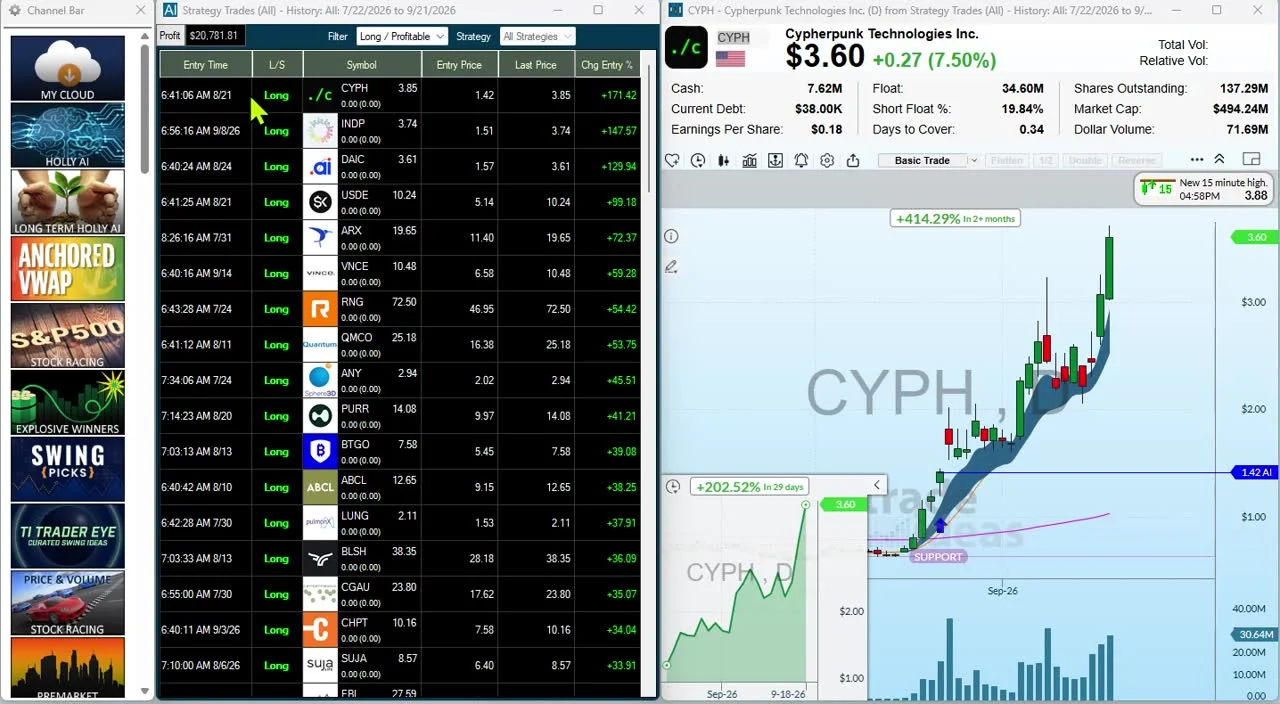
Ideas you did not define. On TI Premium, Holly AI Signals fire intraday with an entry and a stop to manage risk. They are designed for large, long-term potential winners, and you choose to exit the same day or hold. OddsMaker, also on TI Premium, tests a gap setup on Trade Ideas history before you trade it, with no code.
Watch a routine live. The free Trading Room with mentor Barrie Einarson opens at 8:00 a.m. ET. You see a morning list get built and cut before the bell.
Price: TI Standard lists at $127 monthly and $1,068 annually. TI Premium costs $254 a month or $2,136 a year.
Worth knowing: Trade Ideas covers U.S.-listed stocks. Its options data is limited to volume-based filters. Premarket traders on a Mac can run TI Pro through Parallels; on a PC it installs directly. Any browser can open the web Dashboard with no download, though premarket Streaming Alerts need TI Pro. Open a free account to look at the Dashboard before you subscribe.
Best for: Traders who want strict premarket rules and an AI source of ideas side by side, and new traders who want the premium experience.
Benzinga Pro starts with the news. Earnings, analyst calls and company headlines drive many premarket gaps, and Benzinga sets the story next to the price.
Worth knowing: You need the $197-a-month Essential plan for the Real-Time Scanner.
Best for: Morning traders whose setups begin with a catalyst.
Scanz turns your rules into a scan. You set the conditions, and it trims the market to the stocks that match.
Worth knowing: Starter runs one scan at a time, and the Windows and Mac desktop apps come with Pro.
Best for: Traders with a repeatable premarket checklist they want to automate.
Finviz is a screener more than an event scanner. For a simple morning look at movers, that may be enough.
Worth knowing: Without Elite, quotes are delayed and screens refresh every 3 minutes.
Best for: A quick, low-cost premarket screen when you do not need event alerts.
TradingView fits a routine of find, chart, analyze and watch. The screener lives inside the charts.
Worth knowing: Some exchanges cost extra. On Basic, screener auto-refresh is not listed.
Best for: Chart-first traders who mark VWAP and the premarket high before the open.
TC2000 is charting software with a premarket mode.
Worth knowing: Real-time scanning is on Premium, and up to 5 streaming scans run at a time.
Best for: Budget-minded chart traders who want a premarket view.
Day Trade Dash is Warrior Trading's package of preset scanners, charts and news.
Worth knowing: No scan builder is listed, so the presets are the toolkit.
Best for: Warrior Trading students following Ross Cameron's morning routine.
Trade Ideas vs Day Trade Dash → Warrior Trading alternatives →
thinkorswim is Schwab's trading software, and Stock Hacker is its scanner.
Worth knowing: Schwab's thinkorswim pages do not list premarket scan refresh rates.
Best for: Schwab clients who want to scan and place extended-hours orders in one place.
A tip from Trade Ideas' own help pages: judge premarket liquidity by share volume. The Dollar Volume filter uses 10-day average volume, so Volume Today gives a clearer read before the open.
Neither is better in every case. They solve different parts of the problem.
| Rule-based scanner | AI-assisted scanner | |
|---|---|---|
| How stocks are found | Conditions you set | Strategies or models help find and rank candidates |
| Control | High | Depends on the design |
| Transparency | Usually high | Can be lower |
| Best suited to | Clearly defined setups | Finding and ranking ideas |
| Main limit | It can't find what your rules leave out | Its output still needs your judgment |
Competitor prices and features checked October 12, 2026.
Rules enforce your must-haves. AI adds another source of ideas. Trade Ideas gives you both: Streaming Alerts and Top Lists (Screeners) for rules, and Holly for AI.
Comparing AI tools beyond the premarket? See the best AI trading software.
Want to see a routine like this live? Join the free Trade Ideas Trading Room.
| Trading style | What matters most | Tools to look at |
|---|---|---|
| Momentum | Speed, gap, volume, float | Trade Ideas, Scanz |
| Scalper | Fast alerts, liquidity, spreads | Trade Ideas, Scanz |
| News | Breaking catalysts and headlines | Benzinga Pro |
| Rule-based or systematic | Exact filters, saved scans, historical tests | Trade Ideas with OddsMaker, Scanz |
| AI-assisted | Idea discovery across many strategies | Trade Ideas with Holly |
| Chart-first | Scanner-to-chart flow | TradingView, TC2000 |
| Newer trader | Presets, education, practice | Trade Ideas (channels and Trading Room), Day Trade Dash |
Competitor prices and features checked October 12, 2026.
Pick Trade Ideas if you want to shape the morning list yourself. Ask the AI Assistant for a premarket scan, or combine 308 alerts and 249 filters in a menu with no code, and write a custom filter in the Formula Editor for anything else. OddsMaker, part of TI Premium, tests a setup against past events, and Holly AI Signals on the same plan add entry and stop levels during the session.
Not every time. A free screener can be enough to check movers and build a basic morning list.
Paying makes sense when your process needs streaming data, event alerts, detailed filters, news, testing or AI ideas. Base the choice on your workflow. Paid software does not by itself produce better trades.
If you are okay with static non-refreshing data, Trade Ideas is probably not your best choice.
Trade Ideas earns its price in the minutes around the open. Skip it in these cases.
If you are okay with static non-refreshing data, Trade Ideas is probably not your best choice.
Past results, including backtests, don't guarantee future results.
Prices checked October 2026. Sources: trade-ideas.com/pricing/; benzinga.com/pro/pricing; scanz.com/pricing/; finviz.com/elite; tradingview.com/pricing/; tc2000.com/pricing; warriortrading.com/day-trade-dash/; schwab.com/trading/thinkorswim and schwab.com/trading/thinkorswim/desktop. Prices move; verify them on each site.
Trade Ideas is listed first because we make it.
Edits on :
Trade Ideas is our pick, because it pairs your own gap rules with Holly's AI ideas, and since we make it, judge it yourself. Benzinga Pro suits news-driven mornings, Scanz suits a fixed checklist, and Finviz Elite is a simple, low-cost screen.
Yes, Finviz Elite includes premarket data from 4:00 a.m. to 9:30 a.m. ET, and its screens auto-refresh every 10 seconds. The free version uses delayed quotes. Elite costs $39.50 a month, or $299.50 a year, and lists alerts and advanced filters.
Yes, it includes the Stock Hacker scanner, and thinkScript lets you write custom conditions. Schwab offers 24/5 trading on over 1,300 stocks and ETFs, but its thinkorswim pages do not list how often scans refresh before the open. It costs nothing for Schwab clients.
Premarket prices and volume keep changing, so a stock can meet your filters for a while and then fall outside them. A streaming scanner shows that churn as it happens. In Trade Ideas, Top Lists (Screeners) update every 15 seconds, so a name climbs or slips as it trades.
As few as you can watch closely, since there is no set number. Keep the names that match your plan, such as a gap size, a volume level or a catalyst. Drop the rest before the open.
Yes, you can scan for weakness, failed gaps or breakdowns. A scanner cannot tell you whether shares are available to borrow, so confirm that with your broker first. Paper trade the setup before real money is involved.
Many do, as long as ETFs are in their symbol list. ETF traders tend to watch liquidity, sector moves and economic news more than float. Mind the bid-ask spread too, because premarket trading is often thinner than the regular session.
The opening price comes from the orders that arrive around 9:30 a.m. ET, not from the last extended-hours trade. FINRA notes that extended-hours trading can have less liquidity and wider spreads. A handful of premarket trades may not reflect the whole market.
Related scanners: Premarket Scanner · Gap Scanner
More scanners: see all 54 Trade Ideas stock scanners.
Free account, just an email. No card. Live access for a limited time. Ready to buy? See plans & pricing