







 UNOP
UNOP
Streaming Alert (Scanner)
Unusual Number Of Prints Alert (UNOP)
Find stocks printing trades on the tape far faster than normal in real time with Trade Ideas Streaming Alerts (Scanner). An unusual number of prints means a stock is printing at least 5 times faster than normal for this time of day. It counts trades, not size, over 3 minutes or less.
See the crowd arriving before the crowd does.
Free account, just an email. No card. Live access for a limited time.
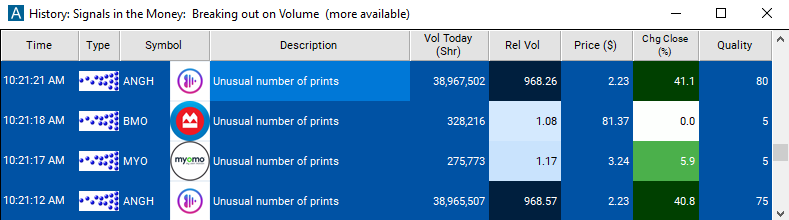
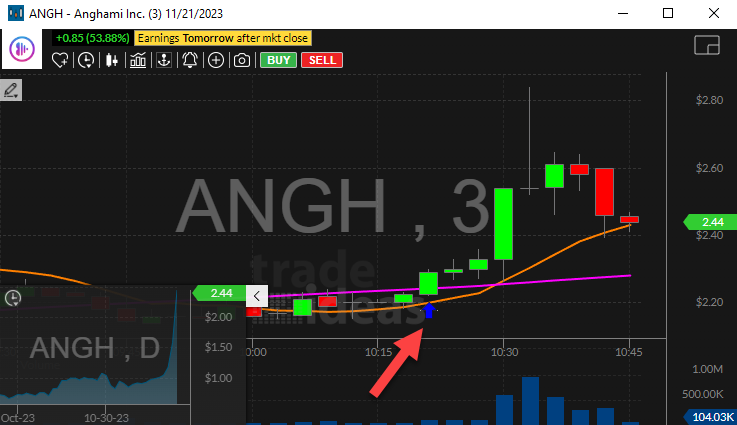
Streaming Alerts push each Unusual Number Of Prints alert the moment it triggers.
How Trade Ideas finds it: by default, the 'Unusual Number of Prints' alert will appear when a stock prints at a rate of at least 5 times as fast as normal. See Trade Ideas plans and pricing to run it live.
How the Unusual Number Of Prints alert works
This alert appears when a stock prints the tape more quickly than it normally does at this time of day. It only looks at the number of prints, not the size of the prints. It is focused on timeframes of 3 minutes or less. This includes all prints, regardless of the exchange or execution venue.
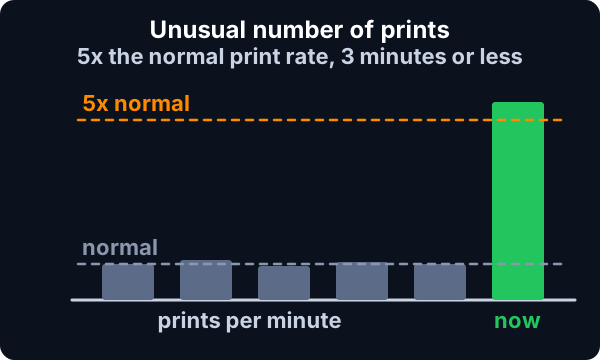
A stock must print at a rate of at least 5 times as fast as normal to generate this alert. Roughly speaking, if a stock prints as many times in a 3 minute period as it usually does in 15 minutes, then we report an alert. We can also display additional alerts if the rate continues to rise.
Key point
We always compare the current rate of prints to a historical baseline for this stock. Some stocks typically print more often than others. And we expect more prints during certain times of day than others. This historical data is more consistent during regular market hours than in the pre- and post-market. It is possible to see this alert in the pre- and post-market, but they are far less common.
This alert is aimed at finding stocks which are just starting to print quickly; we report this alert as soon as possible. However, once we report an alert, we are less likely to report a second alert for the same stock. If the rate drops, then rises again later in the day, we will display another alert. And if the rate increases, we will report more alerts. But if the rate remains constant, regardless of how unusual the rate is, you will only see this alert when this trend starts. If you wish to see stocks which have been printing more than normal all day long, look at the Strong Volume alert or the Relative Volume filter.
Default settings
Settings
By default, the 'Unusual Number of Prints' alert will appear when a stock prints at a rate of at least 5 times as fast as normal. It is focused on timeframes of 3 minutes or less.
Custom settings
Settings
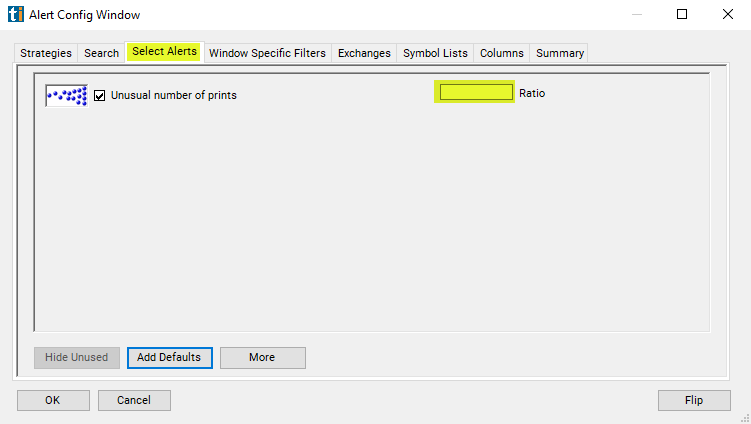
For 'Unusual Number of Prints' alerts, you have the option to use an alert specific filter. This filter is located immediately to the right of the corresponding alert and is always optional. You can decide to leave it blank if you want to receive more alerts, or you can fill it in to restrict the number of alerts you receive. This filter allows you to specify the quality of the alert. When you set a higher number for this filter, you are telling the alerts server to display only alerts that meet a higher quality standard, resulting in fewer alerts being shown.
When setting an alert for 'Unusual Number of Prints', the user can set minimum standards, above those built into the alerts server. Each time the server reports an alert, it divides the current value of the property by the historical value for the property. The user can specify a minimum value for this ratio.
What the alert shows you
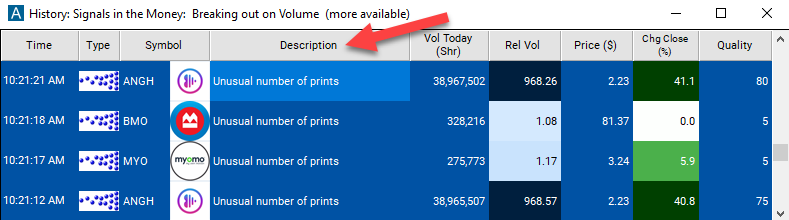
The description of the alert will give you more details on the alert.
Key point
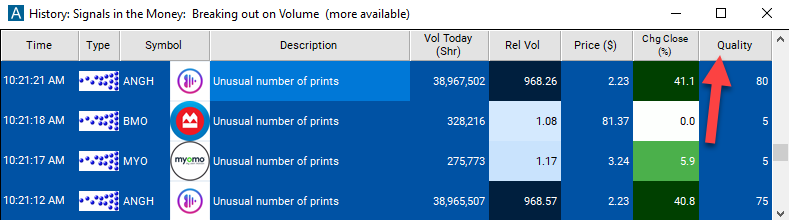
The quality value on a scan using the 'Unusual Number of Prints' alert represent a multiple of the number of prints based upon its historical baseline. This number is in increments of 5.
Related alerts
Filters to pair with the Unusual Number Of Prints alert
FAQ
How do I find stocks where the tape just sped up?
Turn on the Unusual Number Of Prints alert (UNOP) in Trade Ideas Streaming Alerts. By default, the 'Unusual Number of Prints' alert will appear when a stock prints at a rate of at least 5 times as fast as normal.
What is the Unusual Number Of Prints alert?
An unusual number of prints means a stock is printing at least 5 times faster than normal for this time of day. It counts trades, not size, over 3 minutes or less.
How do I see fewer, higher-quality Unusual Number Of Prints alerts?
Use the optional alert-specific filter immediately to the right of the alert. A higher number tells the alerts server to show only higher-quality alerts, so fewer appear. Leave it blank to see more.