







 SV
SV
Streaming Alert (Scanner)
Strong Volume Alert (SV)
By Daniel Mirkin, CEO, Trade Ideas. Updated October 2026.
Find stocks whose total volume today has reached 1x, 2x, 3x or more of average, in real time, with Trade Ideas Streaming Alerts (Scanner). Strong volume compares total volume since midnight to the stock's average daily volume. It alerts at 1x average and again at each further multiple.
See the crowd arriving before the crowd does.
Free account, just an email. No card. Live access for a limited time.
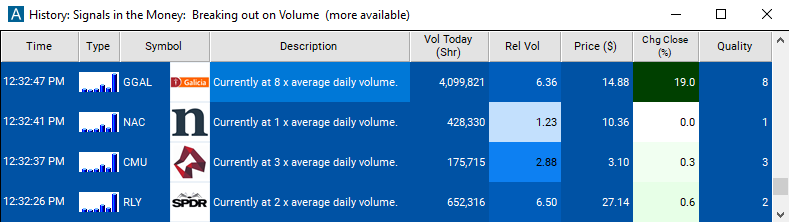
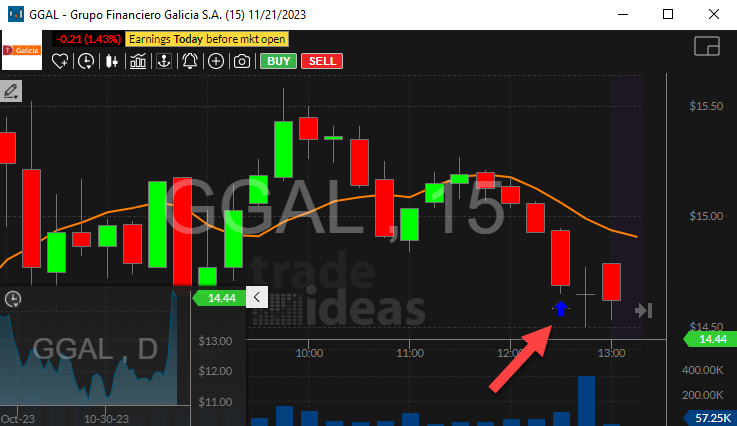
Streaming Alerts show strong volume the moment a stock's total volume today passes a multiple of its daily average.
How Trade Ideas finds it: by default, the Strong Volume alert can appear multiple times for a stock. See Trade Ideas plans and pricing to run it live.
What is strong volume?
Strong volume compares the total shares a stock has traded today, counting from midnight, with its average for a full day. It is less precise about timing than relative volume, but better at finding stocks trading much more than normal.
The alert can fire more than once. A stock that trades 3.5 times its average volume in a day gets three alerts, one at each new multiple.
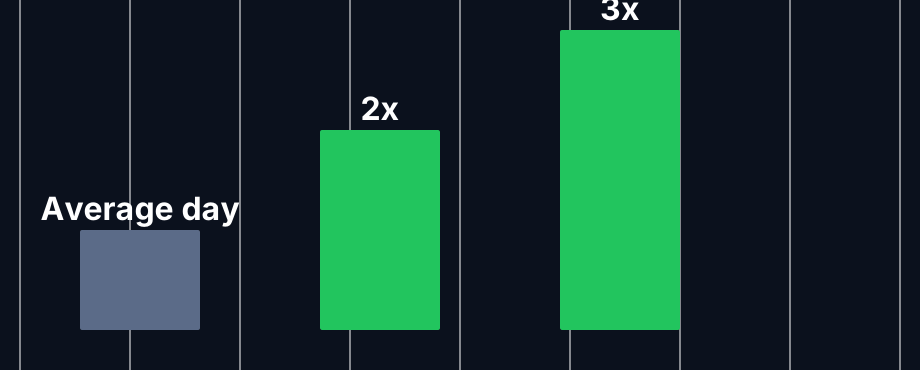
How the Strong Volume alert counts
Average day
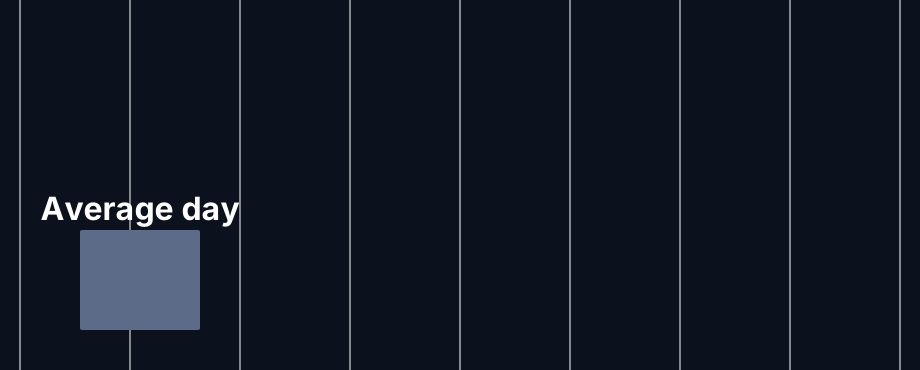
The baseline is the stock's average total daily volume over several recent days.
First alert
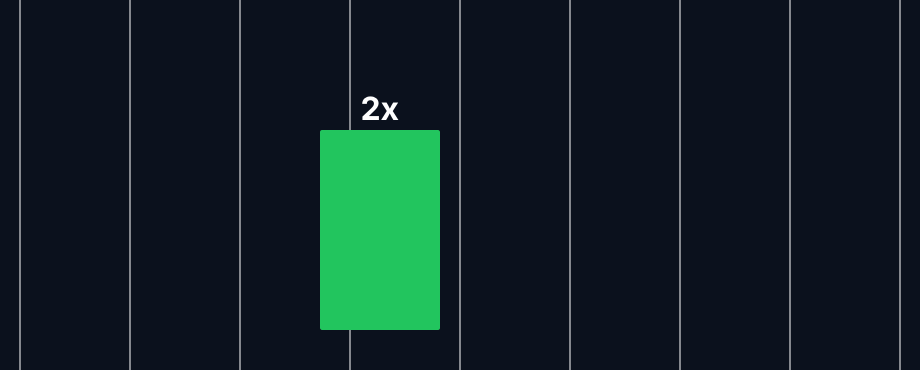
When today's total passes the first multiple of average, the first alert goes out.
More alerts
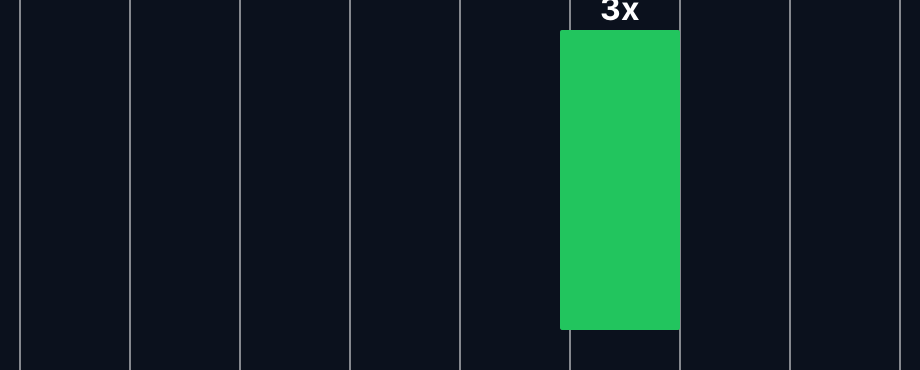
Each higher multiple brings another alert, so a busy stock can show up several times.
How traders use it
Step 1: Let the Trade Ideas alert find it
Turn on the Strong Volume alert (SV). It is a good way to spot stocks having an unusual day overall. See it live in the Web Dashboard.
Step 2: Wait for the trigger
Key point
Look at the chart to see whether the volume came with a breakout, a selloff, or news.
Step 3: Entry
Traders often build an entry from a price setup on a stock that SV has already flagged.
Step 4: Exit
Stops come from the price setup. The volume alert sets the stage, not the exit. That is a typical approach, not a recommendation.
Tips
- SV counts premarket volume too, since it starts at midnight.
- Repeated SV alerts on one stock in a day show a heavy day.
- Combine with a gap filter to see the gappers with real trading behind them.
- For time-of-day precision use High Relative Volume (HRV).
Past results, including backtests, are not indicative of future results.
How the Strong Volume alert works
Key point
This alert appears when a stock is trading on significantly higher volume than normal. Normal volume is based on the average total volume of the stock on several recent days. Current volume is the volume between midnight and the current time. This alert is similar to the High Relative Volume alert, listed above. High Relative Volume is much more precise, looking at only the recent volume today, and comparing it to the normal volume for this time of day. This alert is better at finding stocks which are trading much, much more than normal.
Default settings
Settings
By default, the Strong Volume alert can appear multiple times for a stock. If, in the course of a day, a stock trades a total of 3 1/2 times its average volume, the stock will generate 3 alerts. The first alert will occur when the stock's volume first gets to its daily average. The second alert will occur when the stock's volume gets to twice the daily average. An additional alert is generated each time the current volume crosses another integer multiple of the average volume.
Custom settings
Settings
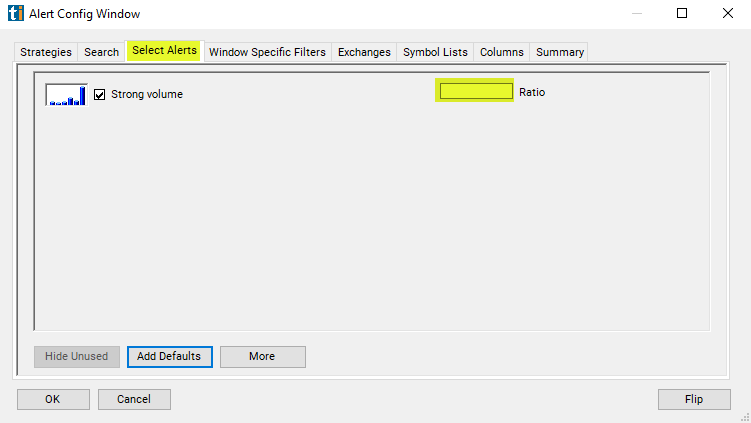
For 'Strong Volume' alerts, you have the option to use an alert specific filter. This filter is located immediately to the right of the corresponding alert and is always optional. You can decide to leave it blank if you want to receive more alerts, or you can fill it in to restrict the number of alerts you receive. This filter allows you to specify the quality of the alert. When you set a higher number for this filter, you are telling the alerts server to display only alerts that meet a higher quality standard, resulting in fewer alerts being shown.
When setting an alert for 'Strong Volume', the user can set minimum standards, above those built into the alerts server. Each time the server reports an alert, it divides the current value of the property by the historical value for the property. The user can specify a minimum value for this ratio.
What the alert shows you
Key point
The description of the alert will report how much above its average daily volume the stock is trading at.
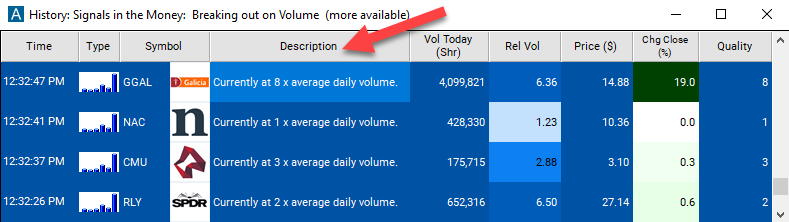
The quality value on a scan using the "Strong Volume" is a multiple of the average daily volume.
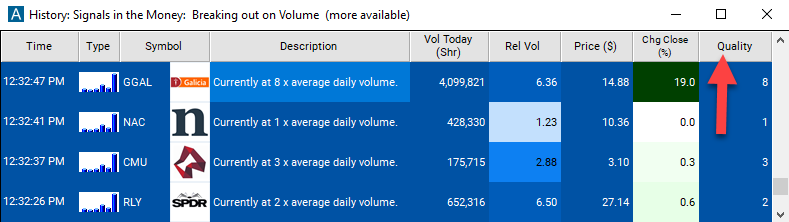
Filters to pair with the Strong Volume alert
FAQ
Which stocks are trading way more volume than normal today?
Turn on the Strong Volume alert (SV) in Trade Ideas Streaming Alerts. By default, the Strong Volume alert can appear multiple times for a stock.
What is the Strong Volume alert?
Strong volume compares total volume since midnight to the stock's average daily volume. It alerts at 1x average and again at each further multiple.
How do I see fewer, higher-quality Strong Volume alerts?
Use the optional alert-specific filter immediately to the right of the alert. A higher number tells the alerts server to show only higher-quality alerts, so fewer appear. Leave it blank to see more.
What is strong volume?
Today's total volume compared with the stock's average daily volume.
Why did I get several Strong Volume alerts for one stock?
The alert fires at each new multiple of average volume, so a busy stock can trigger it more than once.
Does strong volume include premarket?
Yes. Current volume is counted from midnight.
Which is better, HRV or Strong Volume?
They answer different questions. HRV is about the pace right now. SV is about the whole day so far.