







 TRA
▲ Bullish
TRA
▲ Bullish
Streaming Alert (Scanner)
Trading Above Alert (TRA)
Find stocks where buyers are paying more than the best offer in real time with Trade Ideas Streaming Alerts (Scanner). Trading above means someone bought a stock for more than the best offer price, often because they expect a fast move and want the quickest fill.
Watch the bid and ask as they shift.
Free account, just an email. No card. Live access for a limited time.
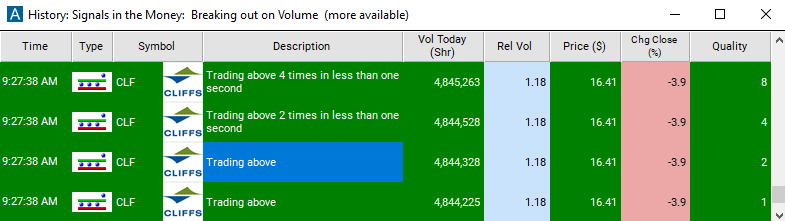
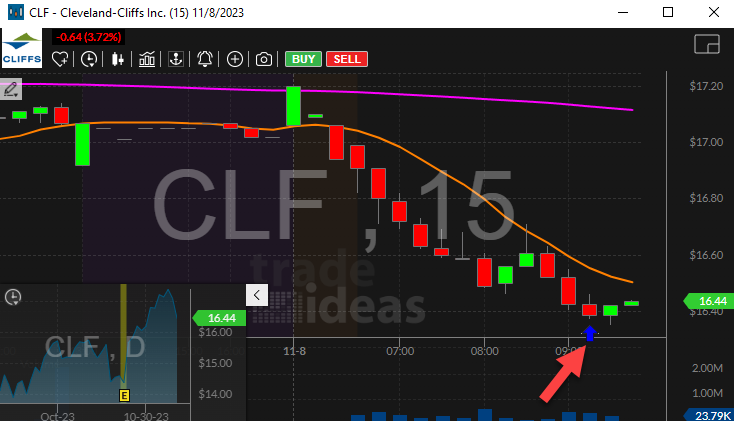
Streaming Alerts push each Trading Above alert on the print that triggers it.
How Trade Ideas finds it: by default, the trading above alert appears when someone buys a stock for more than the best offer price. See Trade Ideas plans and pricing to run it live.
How the Trading Above alert works
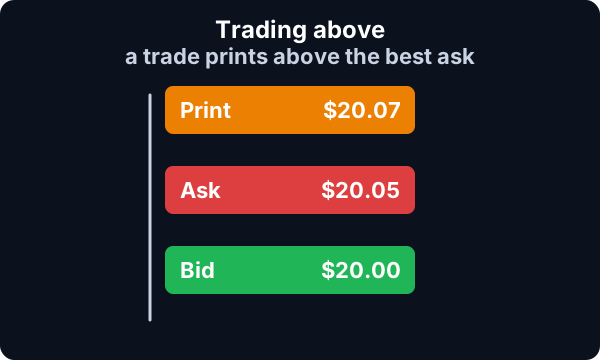
Trading above occurs when someone buys a stock for more than the best offer price. This alert typically signifies a temporary condition where a stock is suddenly more volatile than normal. Often this is caused by traders who know that the stock price is about to change quickly, so they choose the fastest execution venue rather than attempting to get the cheapest one.
Trader tip
Highly experienced short term traders may choose to join the action, in anticipation of a fast change in the stock price. Longer term traders still take note of this condition because it is a leading indicator of which stocks will have interesting activity. This signal is strongest when there are multiple events for the same stock in a short period of time.
When this happens the alerts server will group multiple events into the same alert.
Default settings
By default, the trading above alert appears when someone buys a stock for more than the best offer price.
Custom settings
Trader tip
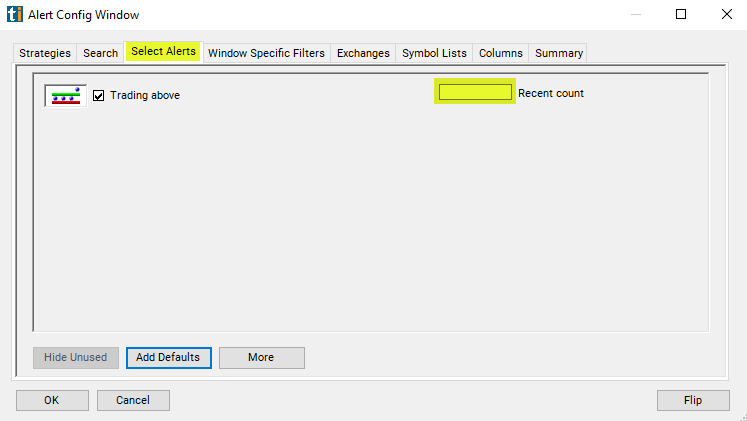
For 'Trading Above' alerts, you have the option to use an alert specific filter. This filter is located immediately to the right of the corresponding alert and is always optional. You can decide to leave it blank if you want to receive more alerts, or you can fill it in to restrict the number of alerts you receive.
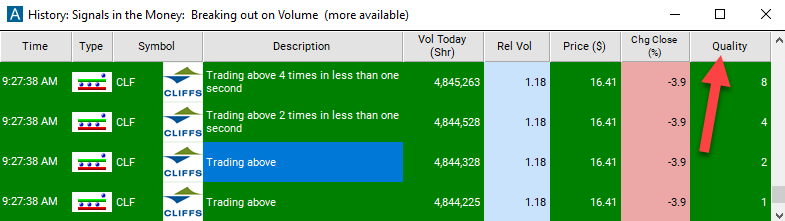
This filter allows you to specify the quality of the alert. When you set a higher number for this filter, you are telling the alerts server to display only alerts that meet a higher quality standard, resulting in fewer alerts being shown.
Settings
When setting an alert for 'Trading Above', you can filter these alerts based on the number of events that have occurred in a row. Note that not every event causes an alert. Look at the alert description to see how many events were in each specific alert. This filter bunches several alerts together. If several alerts occur in a row, each one will have a higher number associated with it, and each alert will be more likely to satisfy this filter.
What the alert shows you
The description column of your scan will say something like "Trading above 4 times" to indicate that this alert includes 4 different prints that were higher than the best offer. If it just says "Trading above" but doesn't say "times", then this alert only refers to a single print.
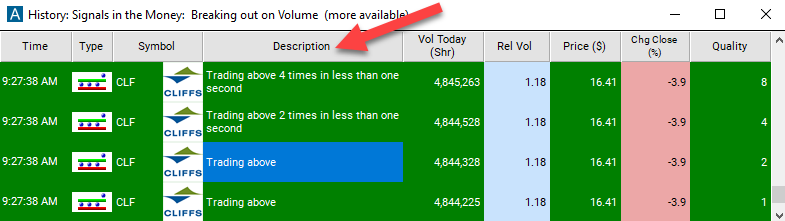
Key point
Add the quality column to a scan using the 'Trading Above' alert to see a consolidation of like alerts. It is a number of times for that alert the prints were higher than the best offer.
Related alerts
Filters to pair with the Trading Above alert
Categories
FAQ
How can I see when buyers are paying above the ask?
Turn on the Trading Above alert (TRA) in Trade Ideas Streaming Alerts. By default, the trading above alert appears when someone buys a stock for more than the best offer price.
What is the Trading Above alert?
Trading above means someone bought a stock for more than the best offer price, often because they expect a fast move and want the quickest fill.
How do I see fewer, higher-quality Trading Above alerts?
Use the optional alert-specific filter immediately to the right of the alert. A higher number tells the alerts server to show only higher-quality alerts, so fewer appear. Leave it blank to see more.