







 NLAF
▼ Bearish
NLAF
▼ Bearish
Streaming Alert (Scanner)
New Low Ask (filtered) Alert (NLAF)
Find stocks whose ask price is making a new low, with repeat alerts thinned out, in real time, with Trade Ideas Streaming Alerts (Scanner). This is the filtered version of the new low ask alert: when the quote changes several times in a row, you see one alert instead of many.
Watch the bid and ask as they shift.
Free account, just an email. No card. Live access for a limited time.
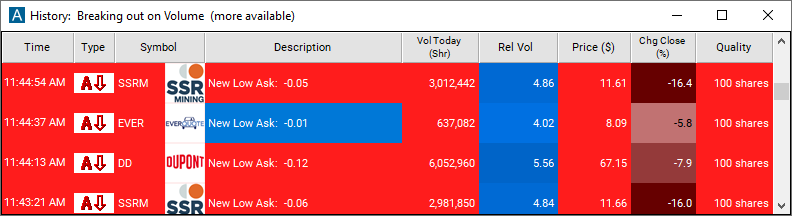
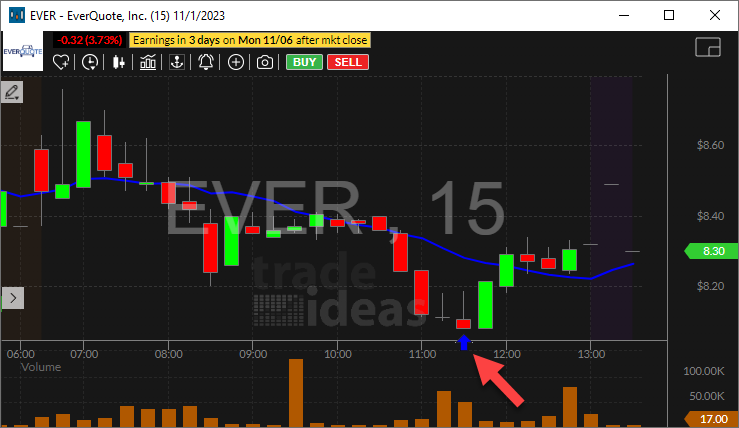
Streaming Alerts push each New Low Ask (filtered) alert the moment it triggers.
How Trade Ideas finds it: by default, this alert appears any time the ask price goes lower than any time today. See Trade Ideas plans and pricing to run it live.
How the New Low Ask (filtered) alert works
Key point
The "New Low Ask (filtered)" alert appears when the ask price for a particular stock reaches a new low within a specified time frame. This alert is valuable for monitoring declining ask prices, which can signal reduced demand or bearish sentiment in the market. The difference is that when the price quickly changes several times in a row, only one of these alerts will appear. The unfiltered alerts appear once every time the price changes.
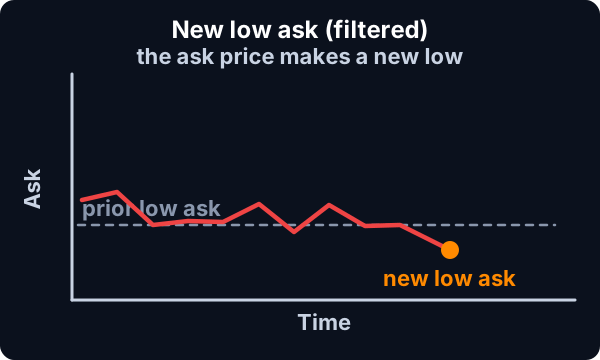
Daytraders often prefer to display the unfiltered versions of these alerts on a large set of stocks. The effect is to create a window where the user can quickly see if the market as a whole is moving up or down. Other traders prefer to see fewer, more interesting alerts. For that effect, select these filtered versions of the alerts. Some people create two or more alert windows, some with filtered alerts and some with unfiltered alerts.
Default settings
Settings
By default, this alert appears any time the ask price goes lower than any time today. This is reset at the same time as the highs. This alert is never reported in the 30 seconds before or 60 seconds after the open.
Custom settings
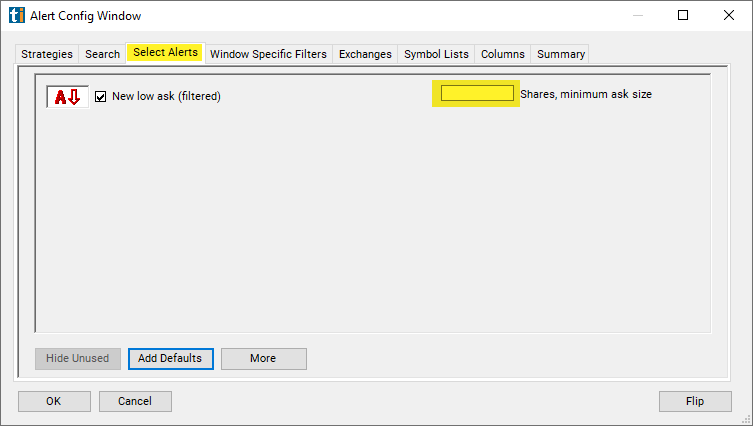
For 'New Low Ask' alerts, you have the option to use an alert specific filter. This filter is located immediately to the right of the corresponding alert and is always optional. You can decide to leave it blank if you want to receive more alerts, or you can fill it in to restrict the number of alerts you receive.
Settings
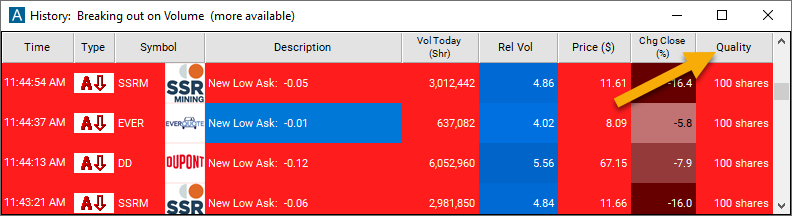
This filter allows you to specify the quality of the alert. When you set a higher number for this filter, you are telling the alerts server to display only alerts that meet a higher quality standard, resulting in fewer alerts being shown.
When setting an alert for 'New Low Ask', you can specify the minimum number of shares on the ask. If a stock is showing fewer shares when the alert is reported, you will not see the alert. We do not smooth or average this value; all that matters is the value at exactly the time the alert was reported. If you leave this field blank, you will see the most alerts. Some alert types have minimums built into them. You can also set minimums for the entire window. An alert must pass through all of these filters to be displayed.
What the alert shows you
Key point
The description column provides insight into the extent of the decrease in the new low ask.
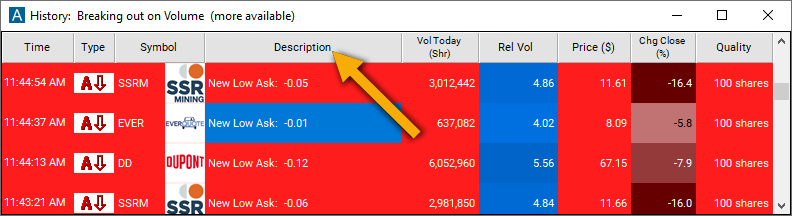
Add the quality column to a scan using the 'New Low Ask (filtered)' alert to see the exact lookback period of the alert.
Related alerts
Filters to pair with the New Low Ask (filtered) alert
Categories
FAQ
Alert me when the ask on a stock makes a new low?
Turn on the New Low Ask (filtered) alert (NLAF) in Trade Ideas Streaming Alerts. By default, this alert appears any time the ask price goes lower than any time today.
What is the New Low Ask (filtered) alert?
This is the filtered version of the new low ask alert: when the quote changes several times in a row, you see one alert instead of many.
How do I see fewer, higher-quality New Low Ask (filtered) alerts?
Use the optional alert-specific filter immediately to the right of the alert. A higher number tells the alerts server to show only higher-quality alerts, so fewer appear. Leave it blank to see more.